Your cluster, watched.
Point Cleat at a Swarm manager and it polls the cluster over the SSH connection you already have. Six views over one cluster, and an alert engine that catches the failures docker service ls renders as perfectly healthy.
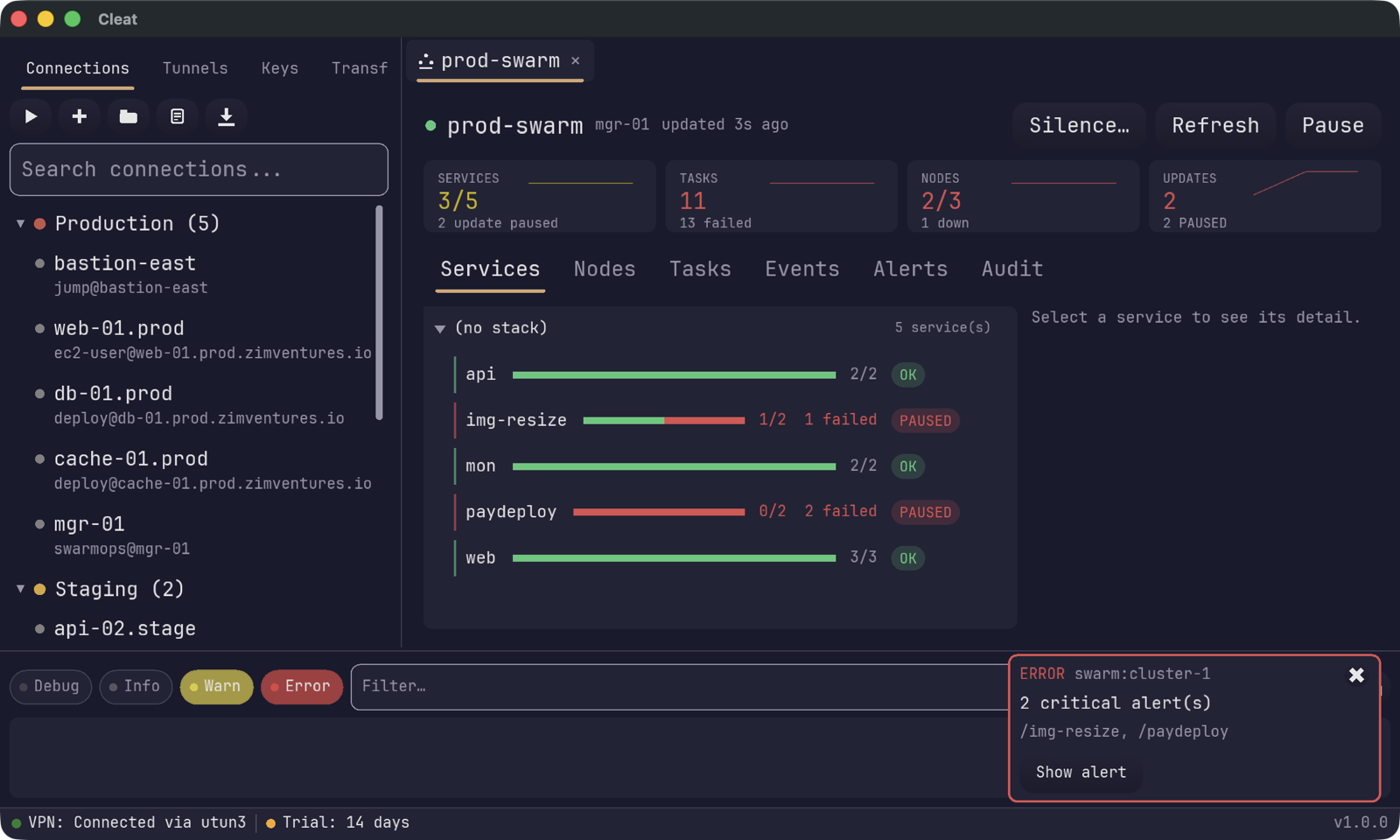
docker over SSH to a manager you already have a connection profile for. Nothing to install on the cluster.The deploy that looks fine.
A rolling update that fails and pauses leaves the service sitting at its old replica count. docker service ls renders that as 2/2 — indistinguishable from healthy. You find out when someone asks why the fix didn't ship.
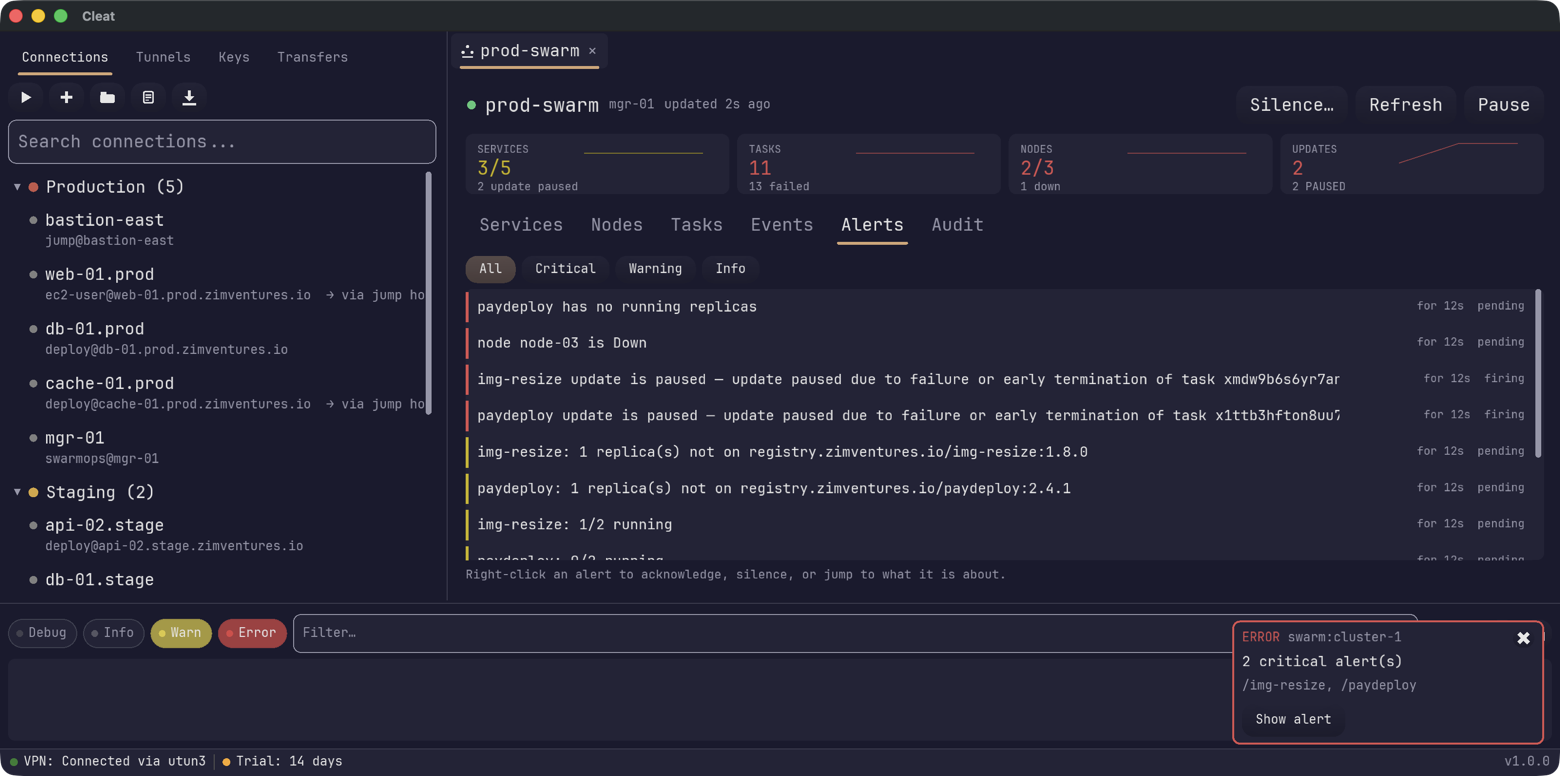
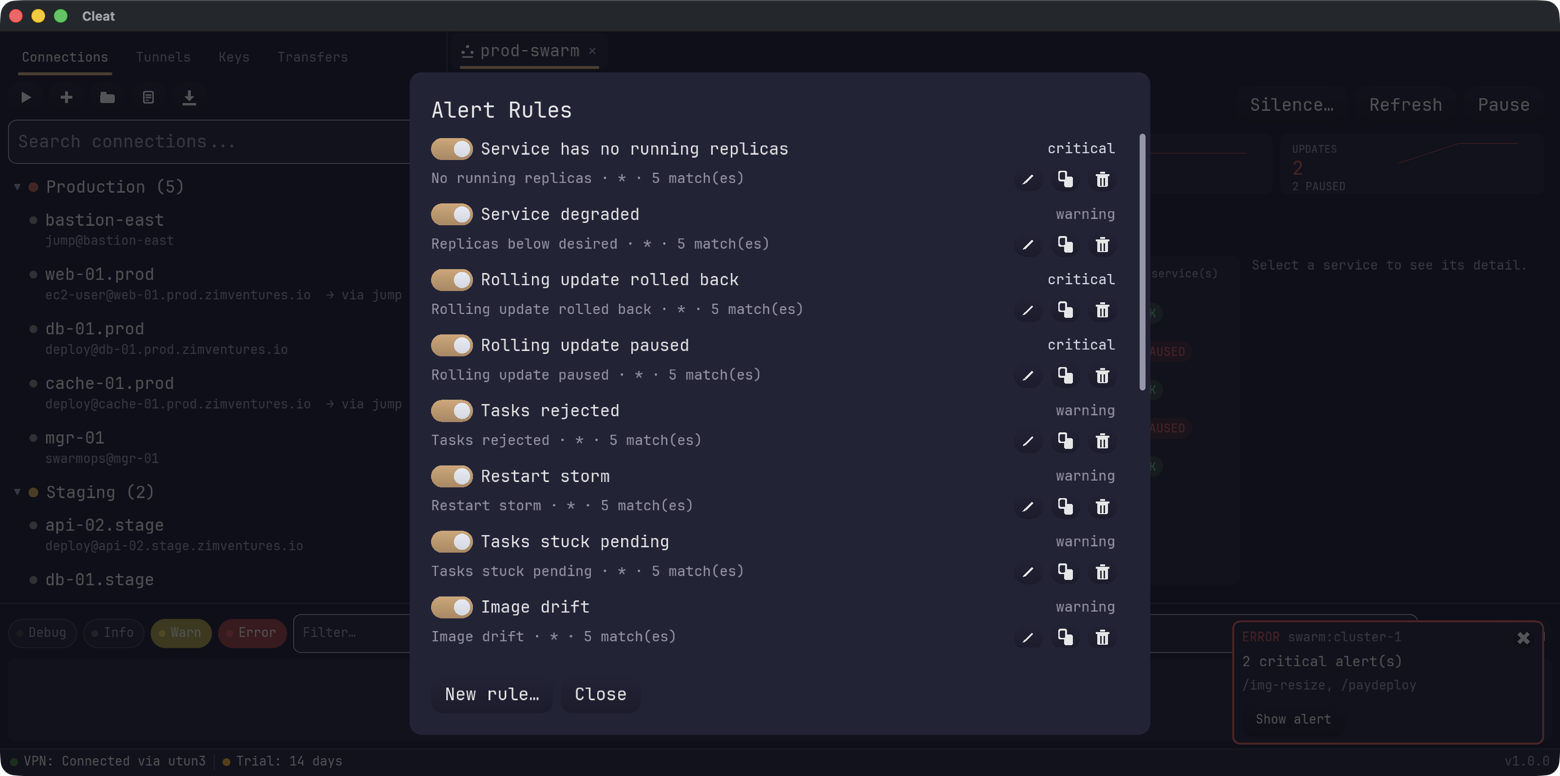
Cleat ships enabled rules for no running replicas, replicas below desired, paused and rolled-back updates, rejected tasks, restart storms, image drift, unreachable managers and drained nodes. Edit them, change severities, or turn them off.
Down to the failing task.
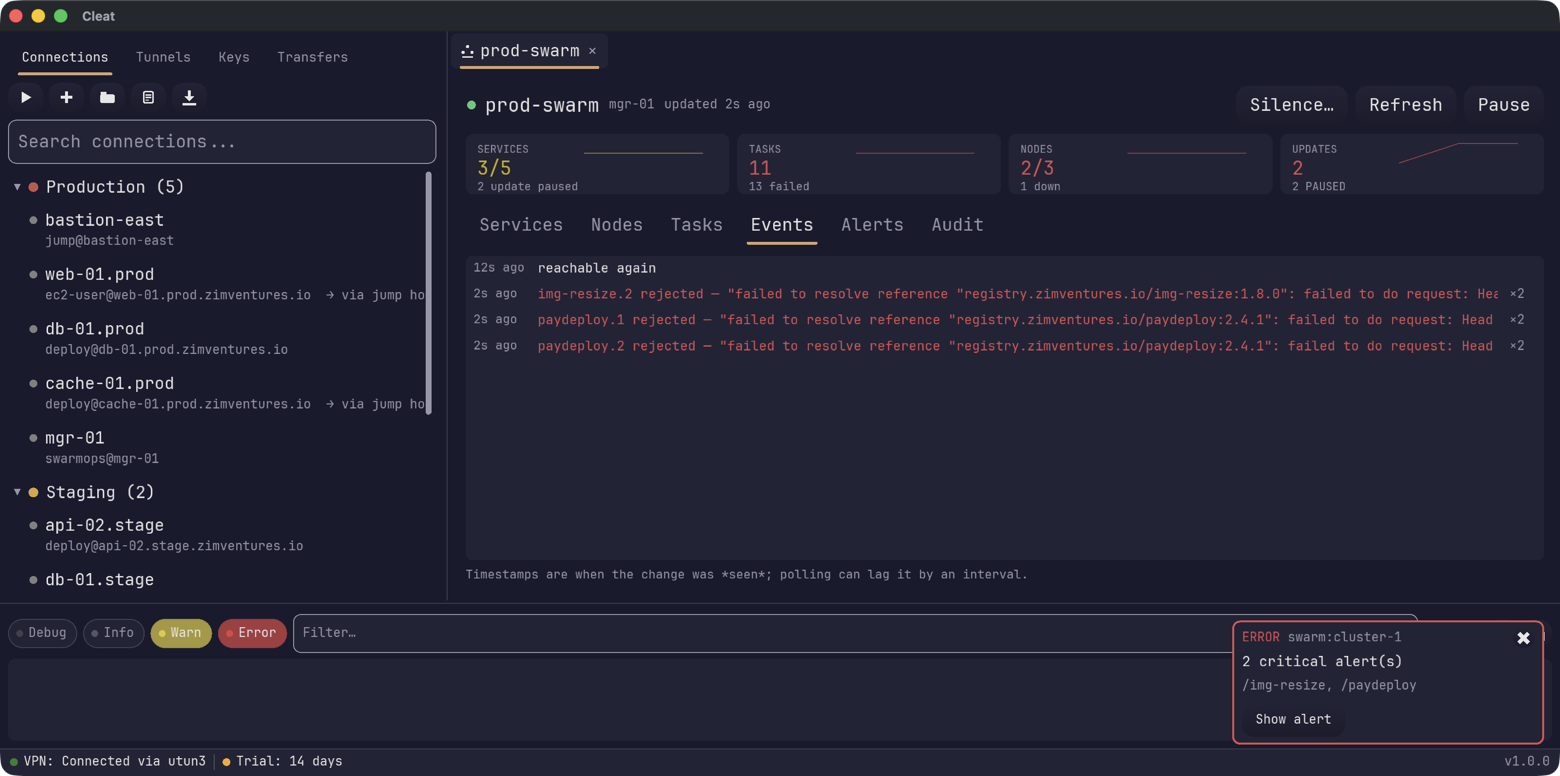
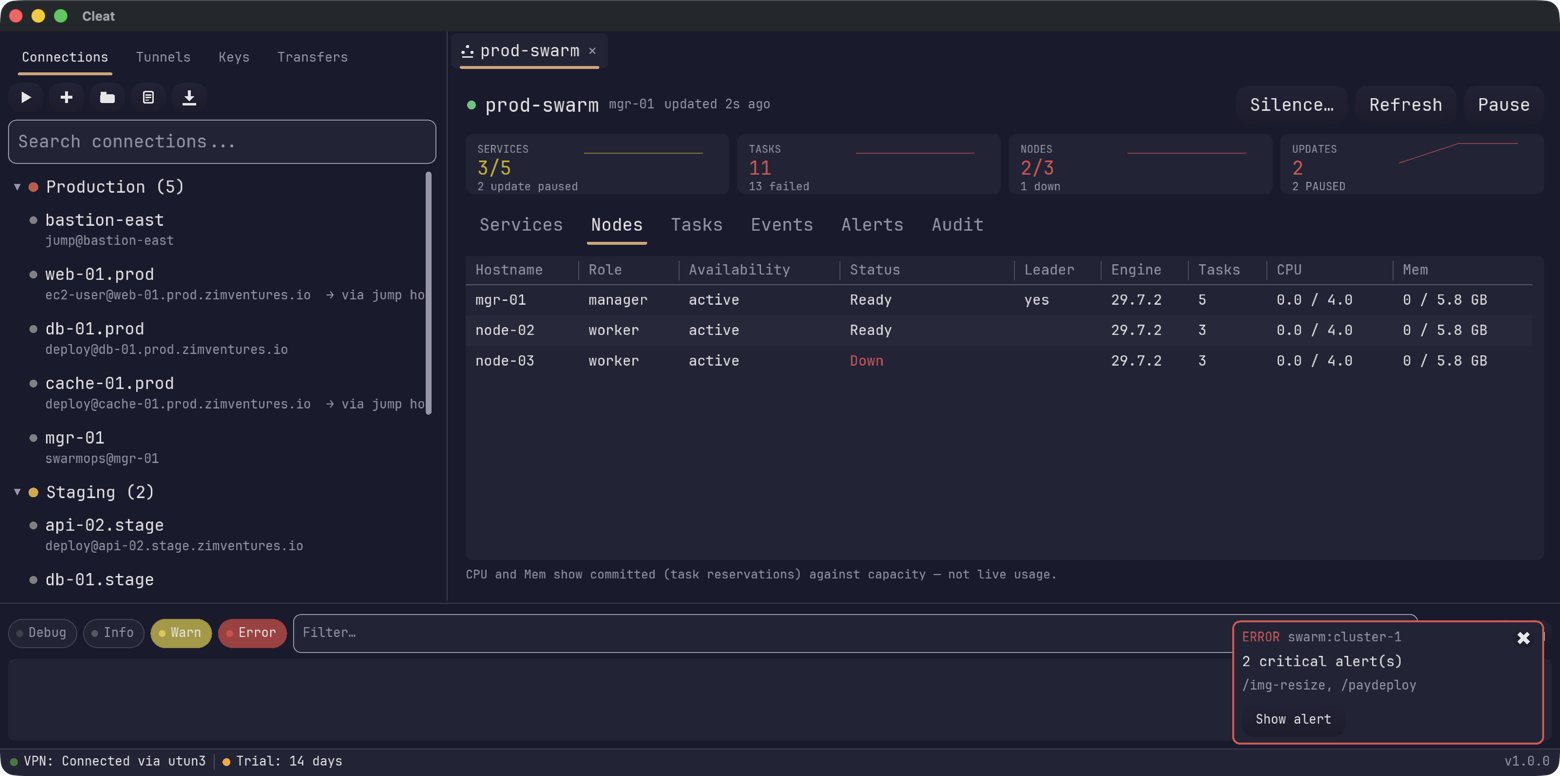
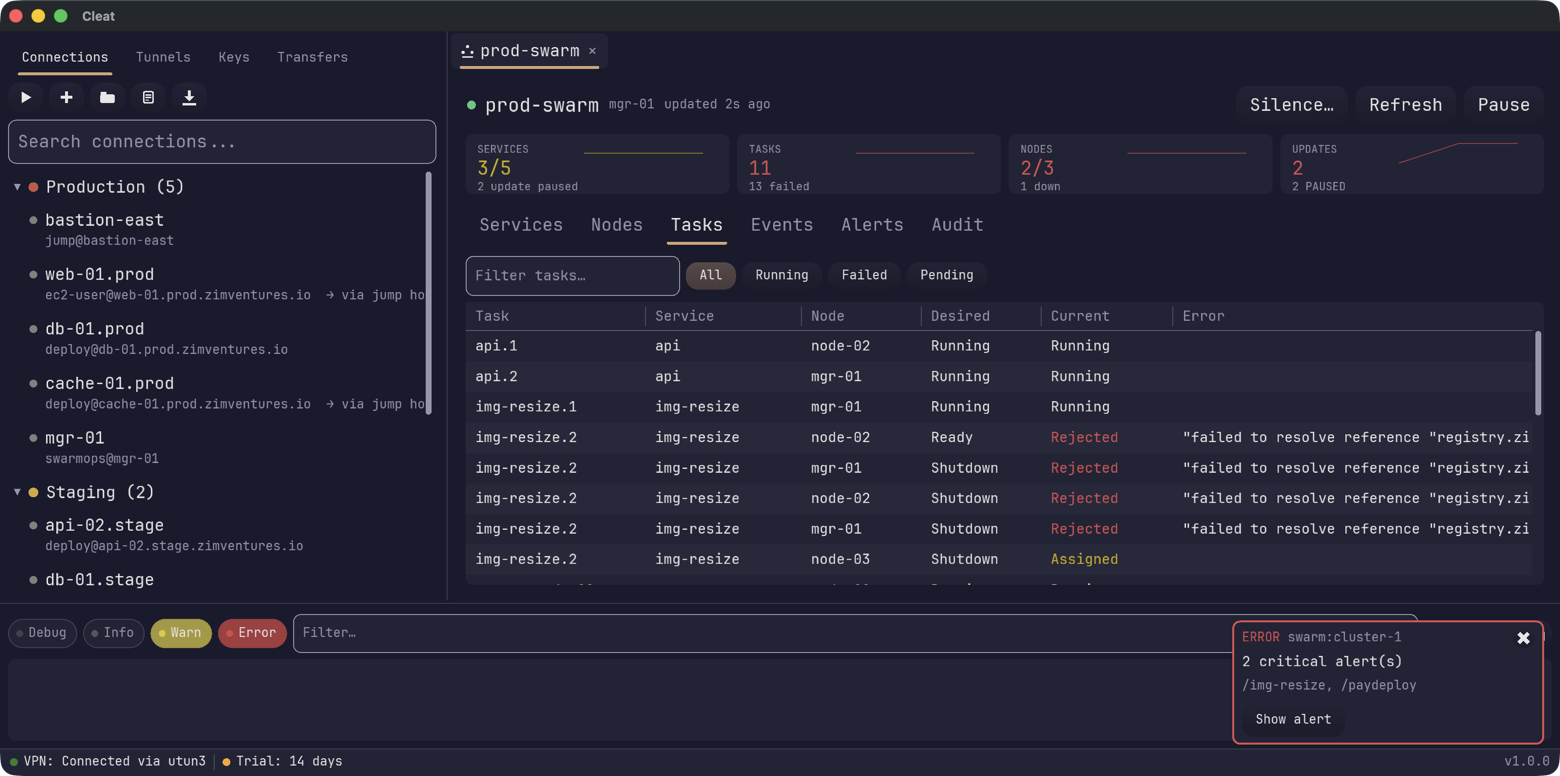
Roles, leadership and availability per node — and every task with its desired state, current state and the error Docker actually returned. Columns resize; double-click a row for the whole record, untruncated.
Nothing happens by accident.
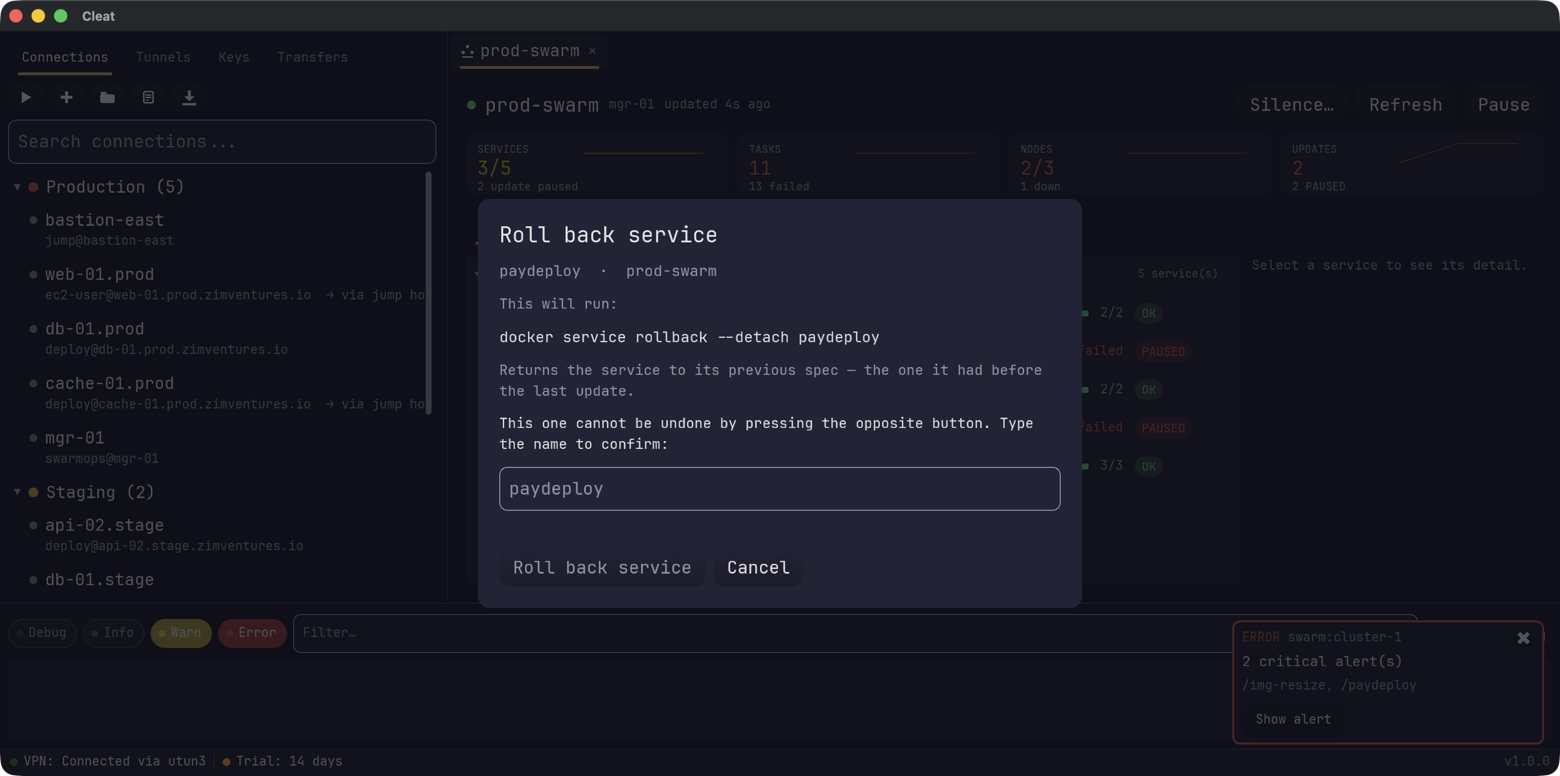
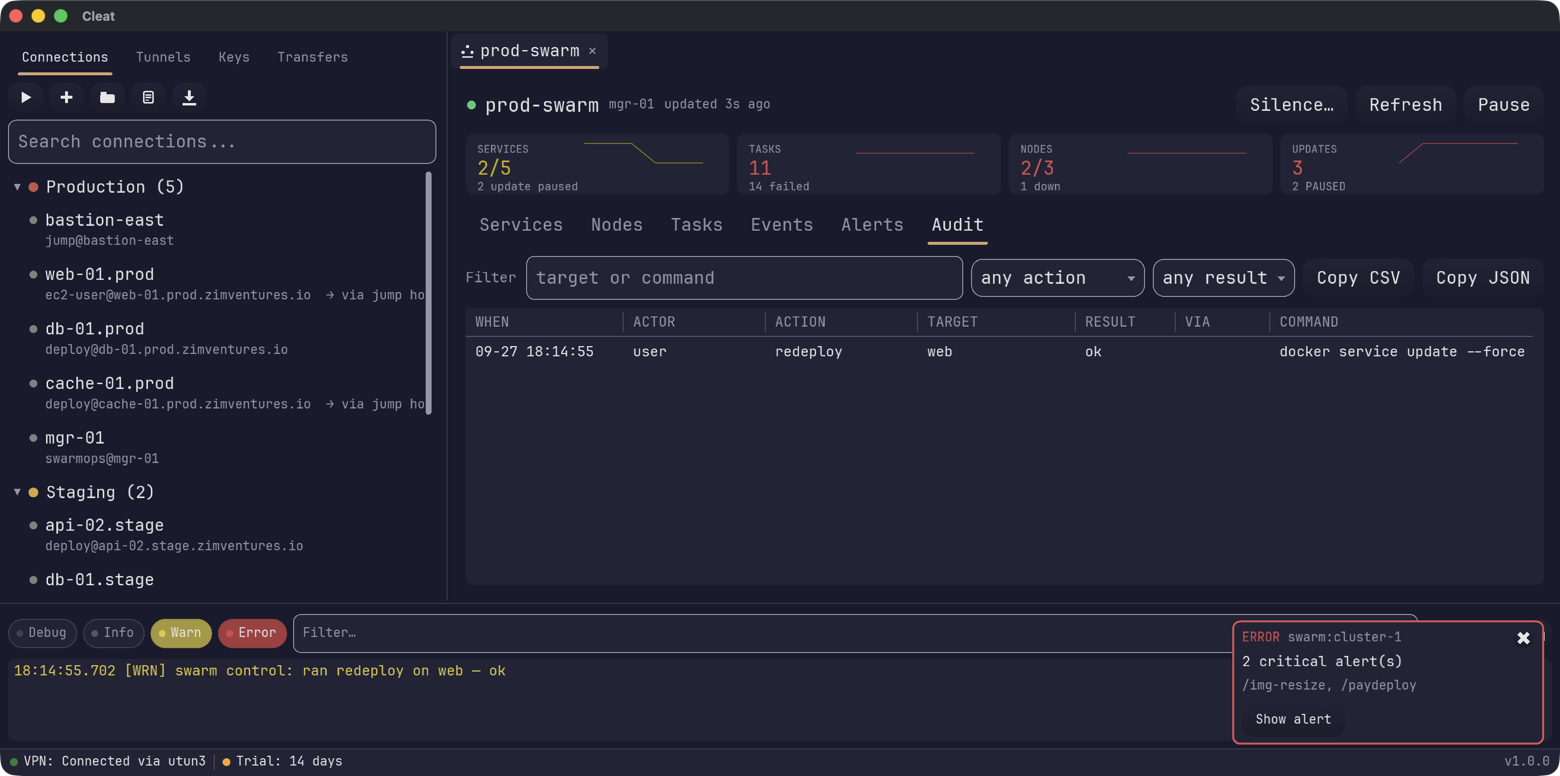
Cleat is pointed at production. Every cluster-changing action shows the verbatim docker command and what it will touch before it runs — and the ones that can't be undone by pressing the opposite button make you type the service name first.
Rules you can read.
Every rule is a toggle, a severity and a scope — not a query language. Route them to a webhook, or run a local command when one fires.